在 macOS 用 OpenSSL 编译 Aria2
前段时间久违地用 aria2c 拖东西回家,结果突然给我喂一嘴 ssl error :
[ERROR] CUID#7 - Download aborted. -> [src/SocketCore.cc:1022] errorCode=1 SSL/TLS handshake failure: Unspecified error -9836看了日志,抓了包,看了 ClientHello 知道是 AppleTLS 默认起手 TLS 1.2 导致的,一看,一年前已经有人复现了:
aria2 TLS 1.3 handshake issue on macOS #2277
没人修,但是我的服务现在都 enforce TLS 1.3 了,实在不想妥协,如果改成兼容 1.2 , nginx 规则写起来太繁琐。还是硬着头皮自己上吧。
配不平的方程式
一看 aria2 的 Formula 就明白了,确实是编译时用了 AppleTLS , 直接扬了换成 OpenSSL 就好了。
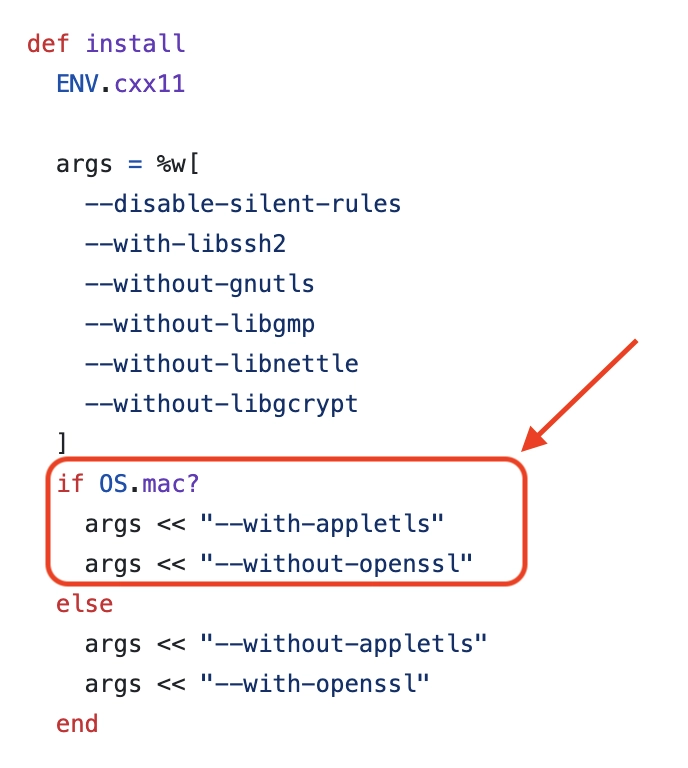
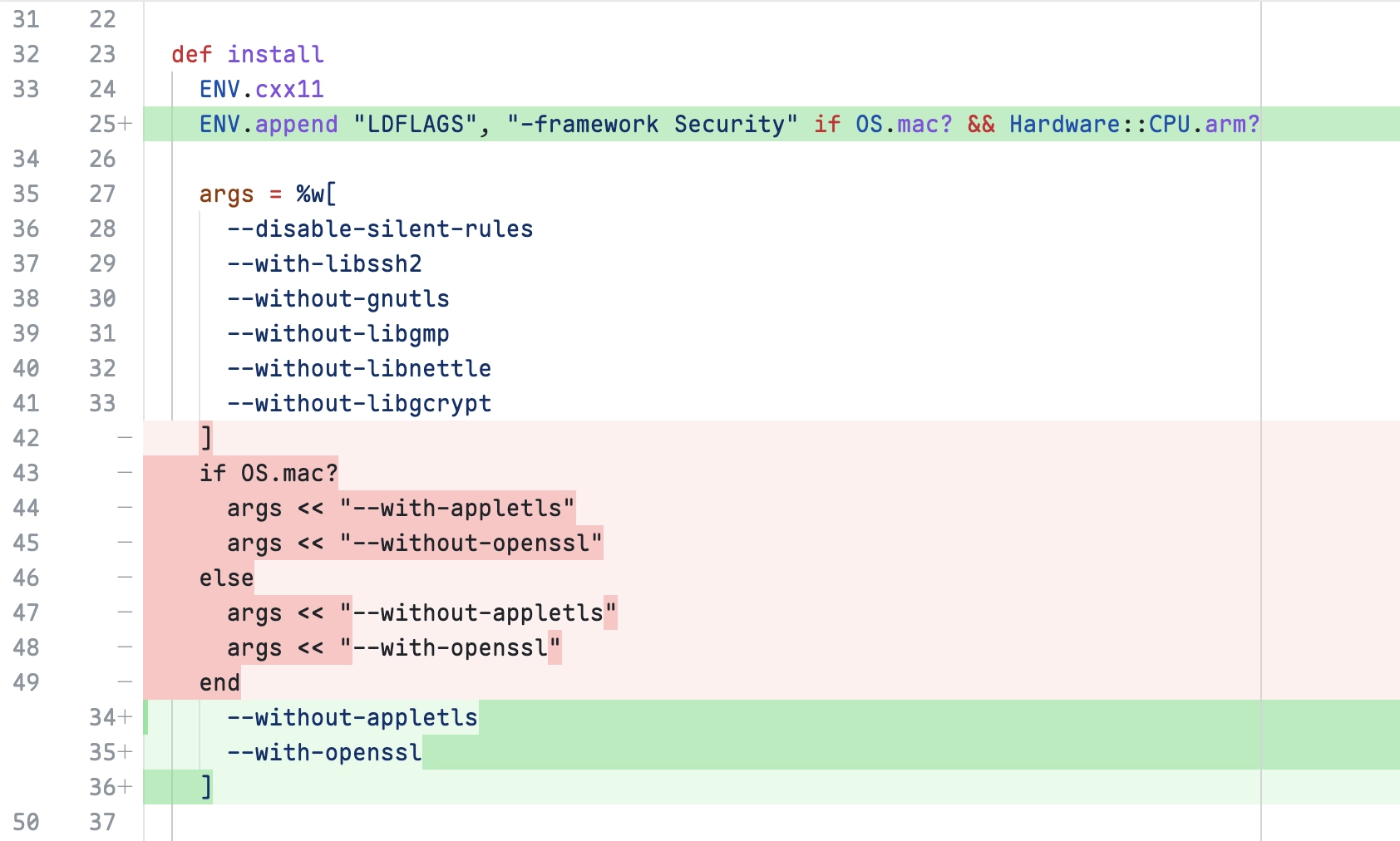
链接时候没设定 Security.framework 会这样报错,得补参数:
Undefined symbols for architecture arm64:
  "_SecRandomCopyBytes", referenced from:
      aria2::SimpleRandomizer::getRandomBytes(unsigned char*, unsigned long) in libaria2.a[167](SimpleRandomizer.o)
  "_kSecRandomDefault", referenced from:
      aria2::SimpleRandomizer::getRandomBytes(unsigned char*, unsigned long) in libaria2.a[167](SimpleRandomizer.o)
ld: symbol(s) not found for architecture arm64
clang++: error: linker command failed with exit code 1 (use -v to see invocation)ENV.append "LDFLAGS", "-framework Security" if OS.mac? && Hardware::CPU.arm?拧不开的水龙头
然后本地开 tap…怎么开好像忘记了,我找下:
brew tap-new h3arn/mytap
cd $(brew --repo h3arn/mytap)
git remote add origin https://h3arn@github.com/h3arn/homebrew-mytap
然后文件结构长这样:
.
├── .git
├── .github
│   └── workflows
│       ├── publish.yml
│       └── tests.yml
├── Formula
└── README.md
还把 pipeline 都帮忙写好了,太贴心了
再改一下 aria2.rb 丢进 Formula 就完事了…吗?
git add Formula/aria2.rb
git commit -m "feat: add aria2 w/ openssl"
接着安装:
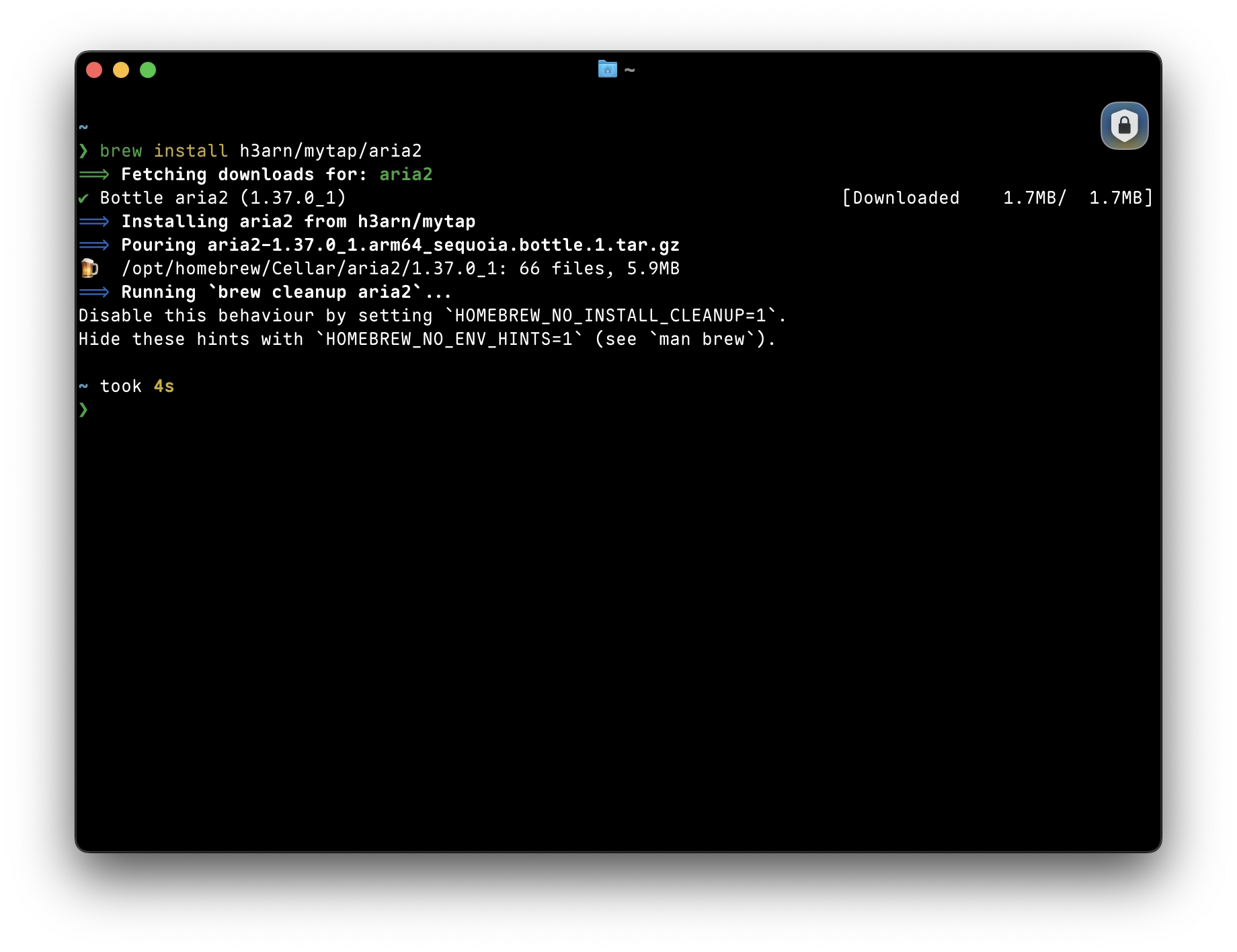
brew install h3arn/mytap/aria2可是编译要等,不能忍!
而且为了解放更多 aPPLEtls 受害者,也要想办法让 action 把 bottle 编译出来,啤酒一定要能装在啤酒瓶里!
握不住的啤酒瓶
原来是之前没有走 PR 流程,于是没有触发编译 bottle
# .github/workflows/tests.yml
      - run: brew test-bot --only-formulae
        if: github.event_name == 'pull_request'

      - name: Upload bottles as artifact
        if: always() && github.event_name == 'pull_request'
        uses: actions/upload-artifact@v4
        with:
          name: bottles_${{ matrix.os }}
          path: '*.bottle.*'
等 test-bot 跑过了全部步骤以后,给 PR 添加 pr-pull 标签,才能自动写入 bottle 的 hash 然后发 release
# .github/workflows/publish.yml
name: brew pr-pull

on:
  pull_request_target:
    types:
      - labeled

jobs:
  pr-pull:
    if: contains(github.event.pull_request.labels.*.name, 'pr-pull')
开开心心地让 actions 自己跑,想着万事大吉,结果手滑了:publish 如果通过,会自己把代码合到 main 然后删掉请求合并的分支。
这一下子我的 vigilant mode 整个烂完了,蹦两个大大的 Unverified, 我亲自部署的主分支里面居然有没签名过的代码,简直不能忍!
# .github/workflows/publish.yml
      - name: Pull bottles
        env:
          HOMEBREW_GITHUB_API_TOKEN: ${{ secrets.GITHUB_TOKEN }}
          PULL_REQUEST: ${{ github.event.pull_request.number }}
        run: brew pr-pull --debug --tap="$GITHUB_REPOSITORY" "$PULL_REQUEST"

      - name: Push commits
        uses: Homebrew/actions/git-try-push@main
        with:
          branch: main

      - name: Delete branch
        if: github.event.pull_request.head.repo.fork == false
        env:
          BRANCH: ${{ github.event.pull_request.head.ref }}
        run: git push --delete origin "$BRANCH"
那就把添加 bottle metadata 的 commit 给 cherry-pick 回原来的分支,然后也不删分支了,等回头我亲自合并:
         run: brew pr-pull --debug --tap="$GITHUB_REPOSITORY" "$PULL_REQUEST"

+      - name: Move commit to PR branch
+        env:
+          BRANCH: ${{ github.event.pull_request.head.ref }}
+        run: |
+          # 1. Identify the commit created by brew pr-pull
+          BOTTLE_COMMIT=$(git rev-parse HEAD)
+          echo "Bottle commit is $BOTTLE_COMMIT"
+
+          # 2. Fetch and checkout the PR branch
+          git fetch origin "$BRANCH"
+          git checkout "$BRANCH"
+
+          # 3. Cherry-pick the bottle commit onto the PR branch
+          git cherry-pick "$BOTTLE_COMMIT"
+
       - name: Push commits
         uses: Homebrew/actions/git-try-push@main
         with:
-          branch: main
+          branch: ${{ github.event.pull_request.head.ref }}

-      - name: Delete branch
-        if: github.event.pull_request.head.repo.fork == false
-        env:
-          BRANCH: ${{ github.event.pull_request.head.ref }}
-        run: git push --delete origin "$BRANCH"
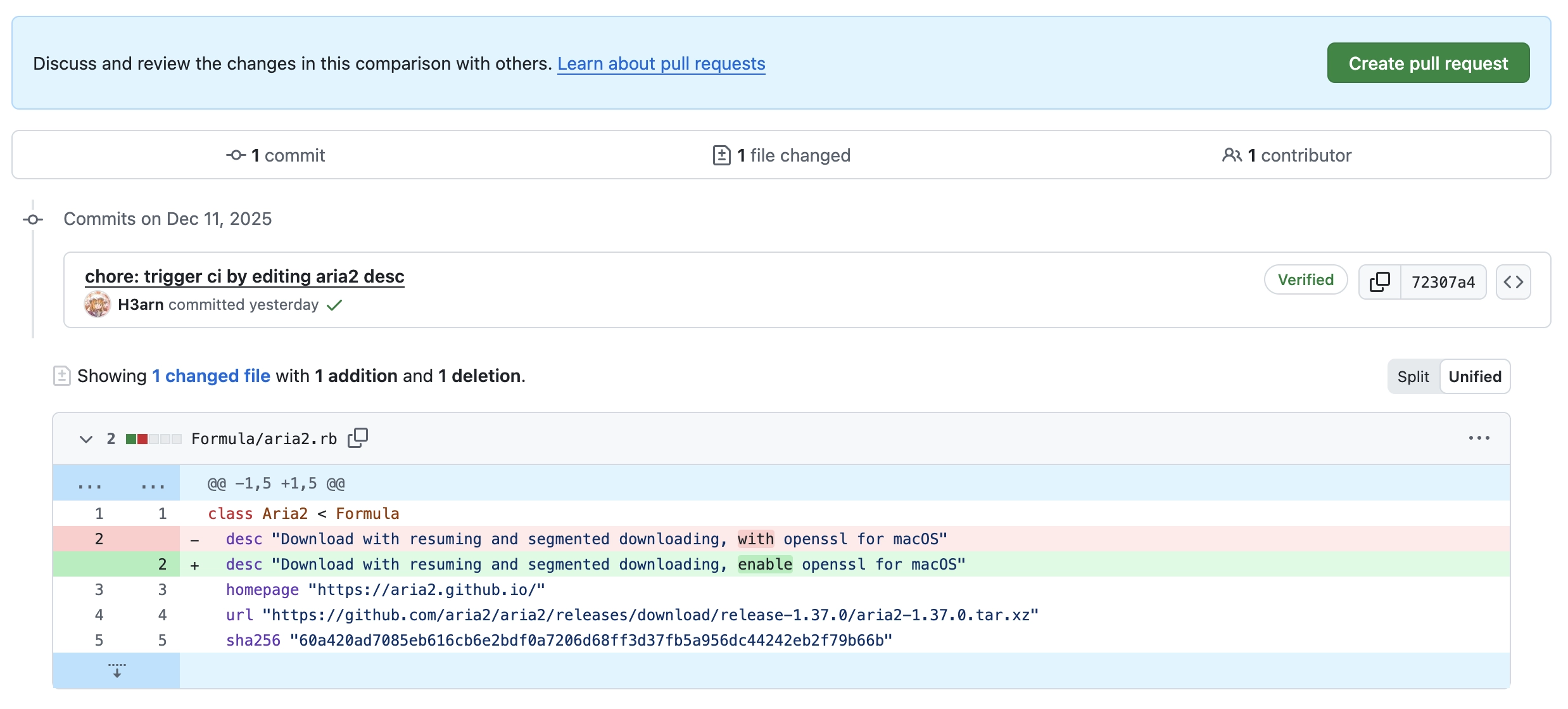
不巧的是,这个时候 Formula 的更改已经送上去很久了,而在 brew test-bot --only-formulae 会检测 Formula 更改,没有的话是不会触发 bottle 构建的,只好补充一下 desc 来触发了
然后先让 test-bot 跑过,构建完 bottle,再添加 pr-pull 标签,触发发布流程,不然 bottle 只会是埋在角落的 artifact 罢了:
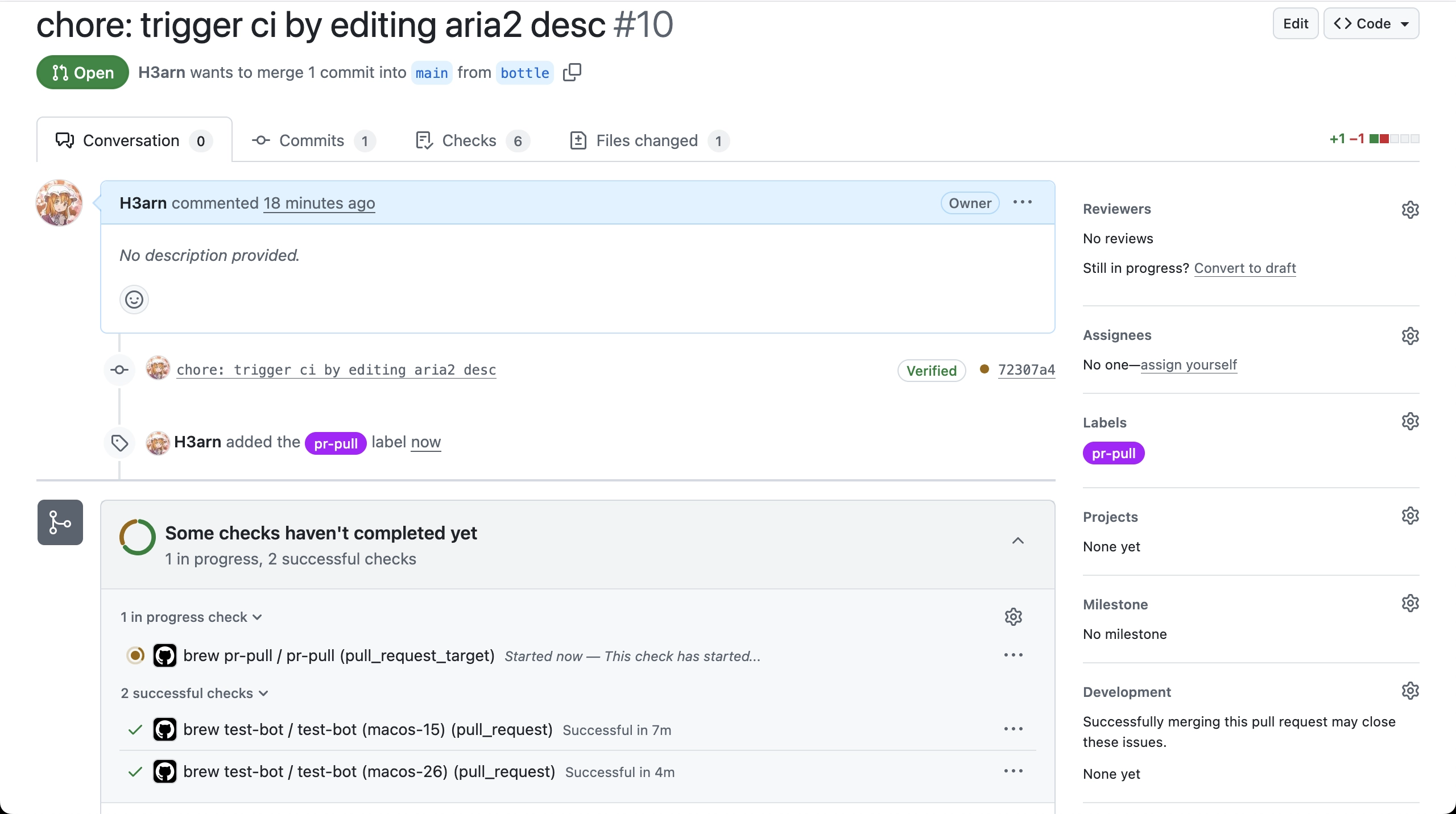
是跑完了,可又自顾自地把 pipeline 结果给摘掉了:
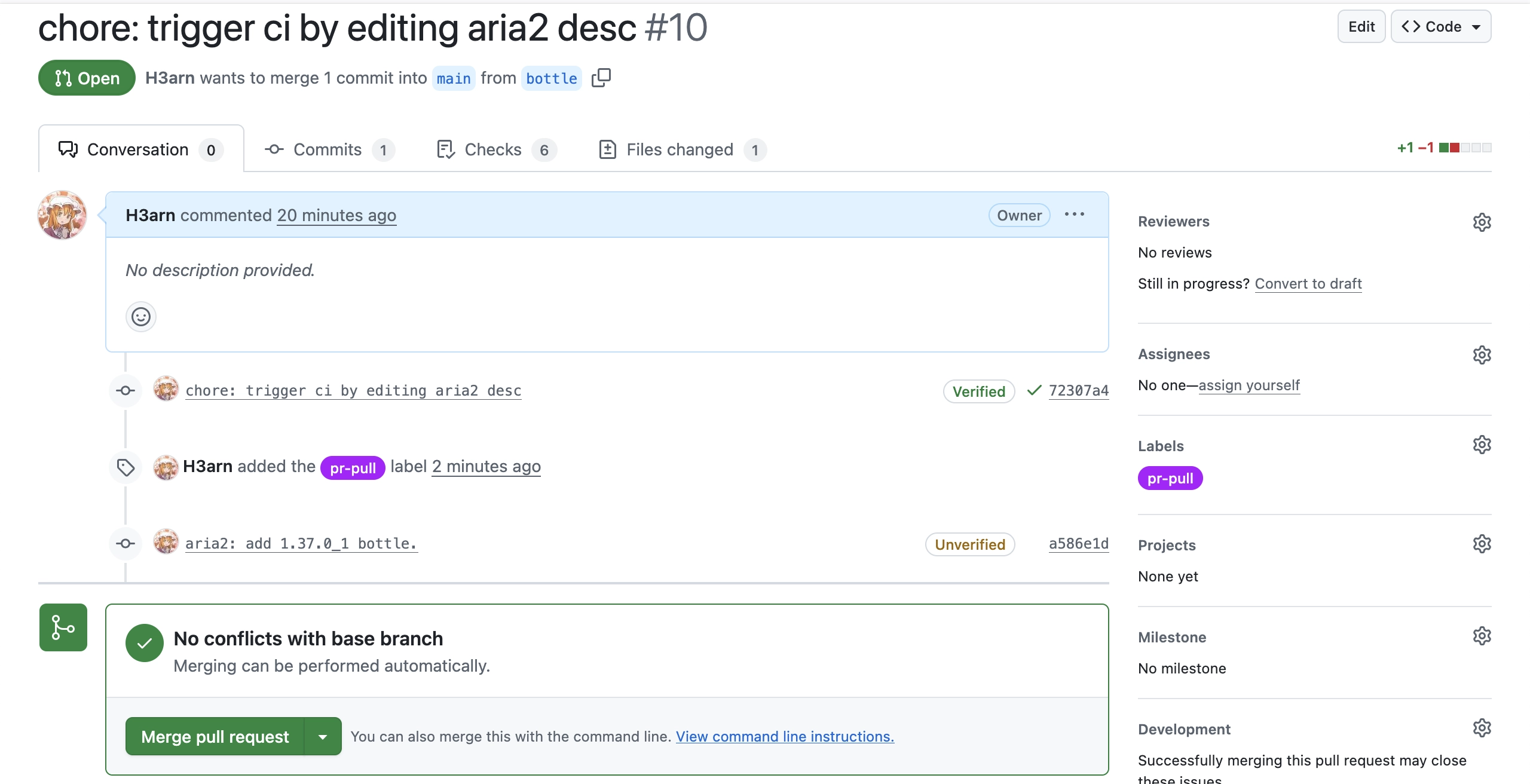
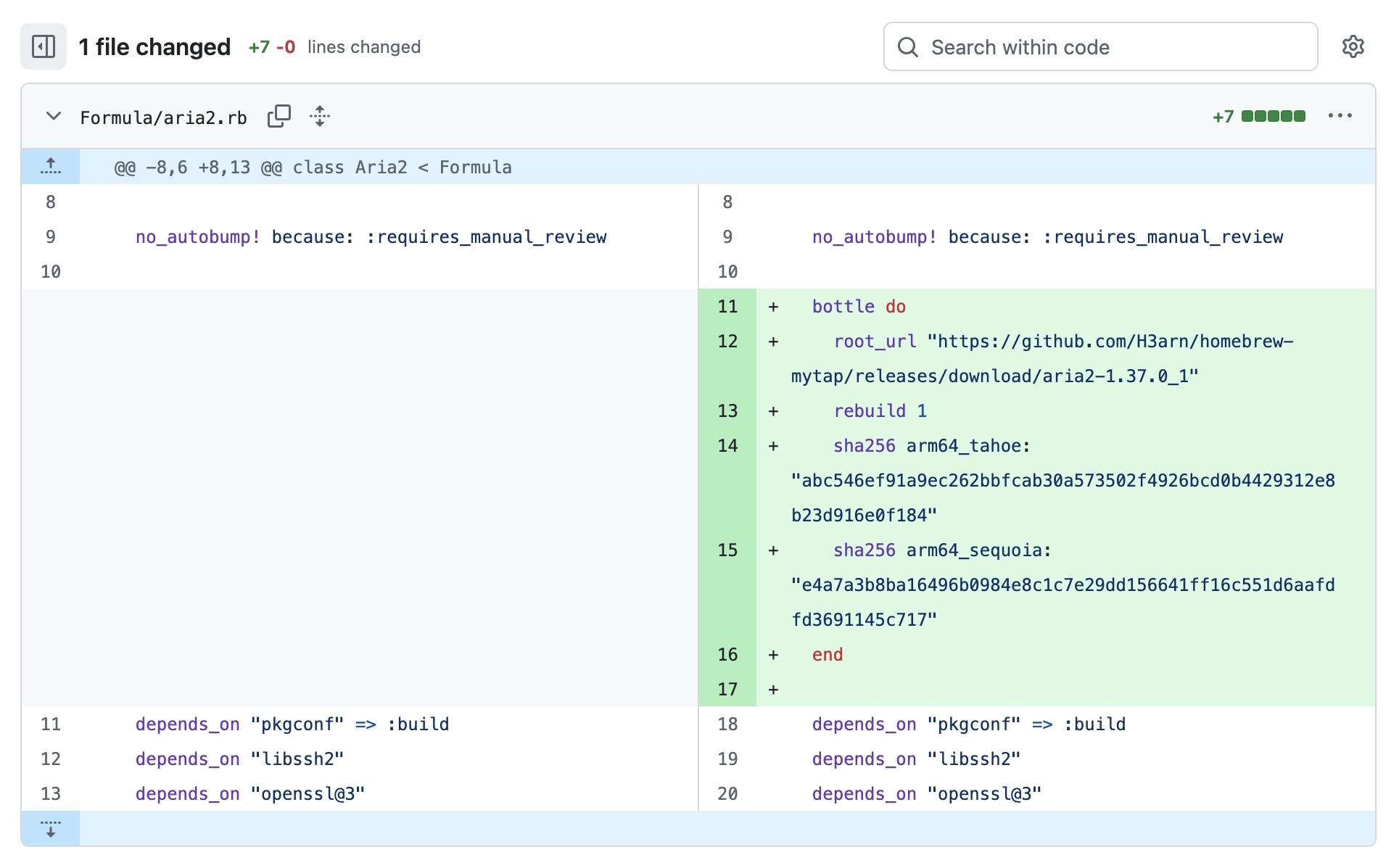
倒是能看到 bottle 的 metadata 被写进 Formula 了
这个时候再在本地把代码合回来就行了
# on main
git pull origin bottle --no-ff
喝不完的生啤酒
这下就可以 brew install h3arn/mytap/aria2 了,直接下载 bottle 安装,爽!